React Native + Expo source · iOS and Android

A vocabulary app that explains its own schedule.

Vocabryn is runnable app source for learning useful phrases. Learners choose or import a collection, study in short sessions, and every grade shows exactly when the card comes back — and why. Everything runs on the device.

Provisional review. Every screen on this page is a capture of the real app running on iOS Simulator and Android Emulator — not a mockup. Native source is delivered as a ZIP; nothing here is an app-store listing. A physical Android phone and a physical iPhone passed the journeys, accessibility and performance checks.

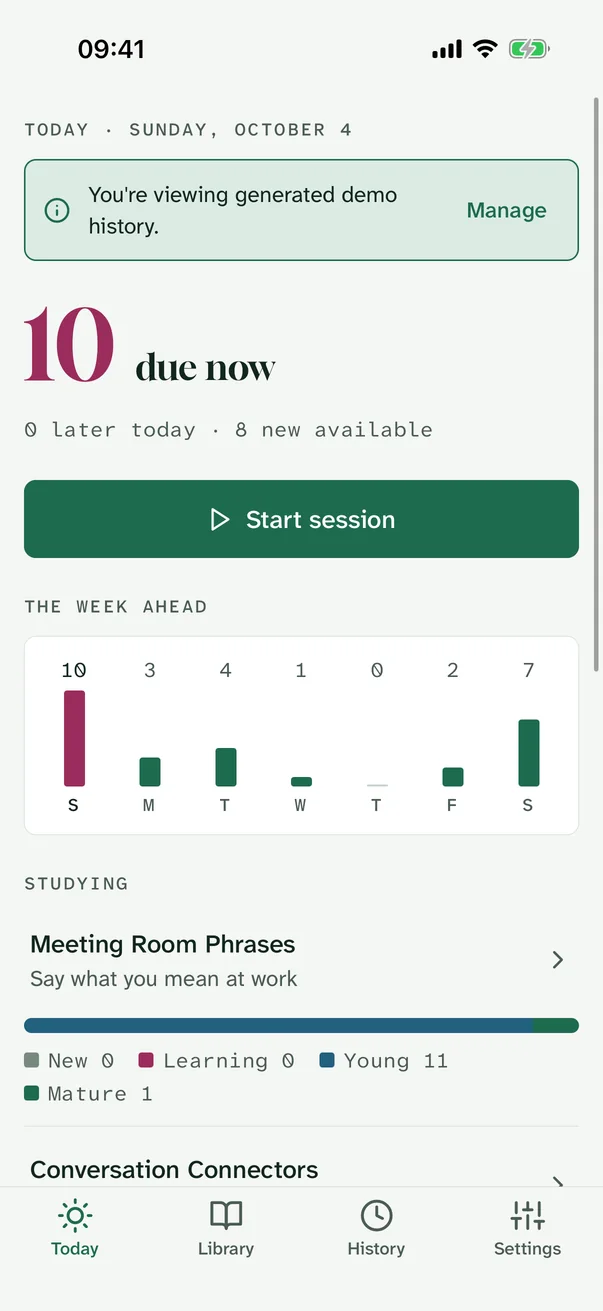
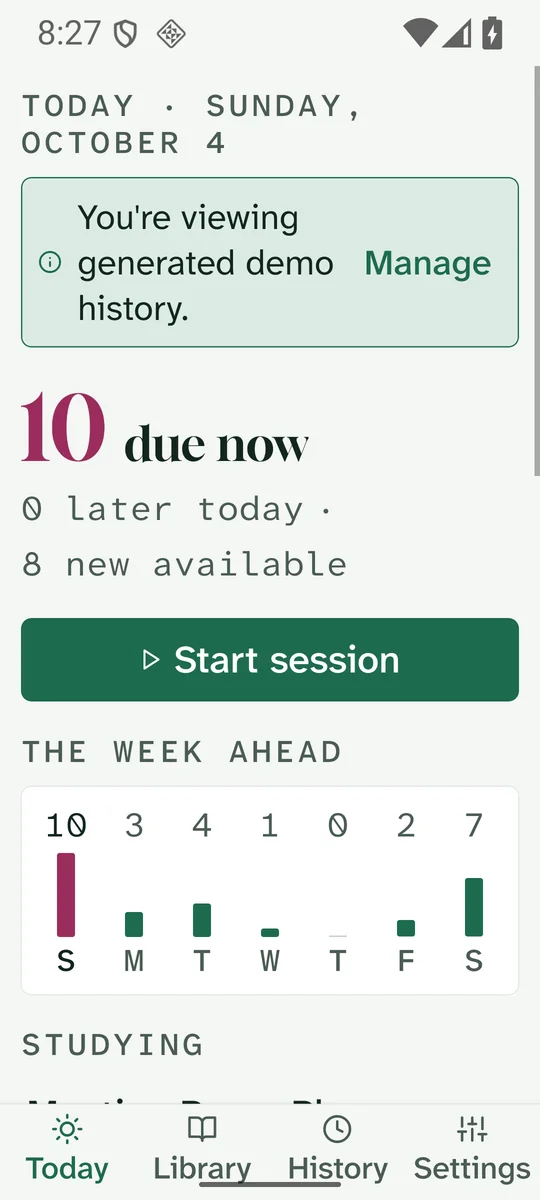
Vocabryn Today screen on iOS: due cards, the week-ahead forecast and studied collections
iOS Simulator · Today
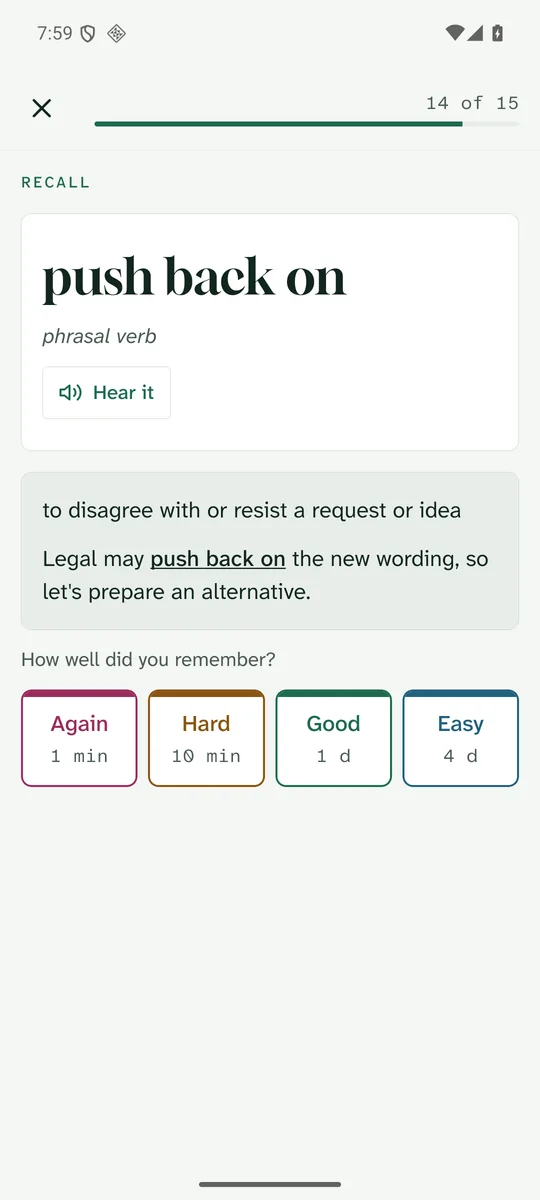
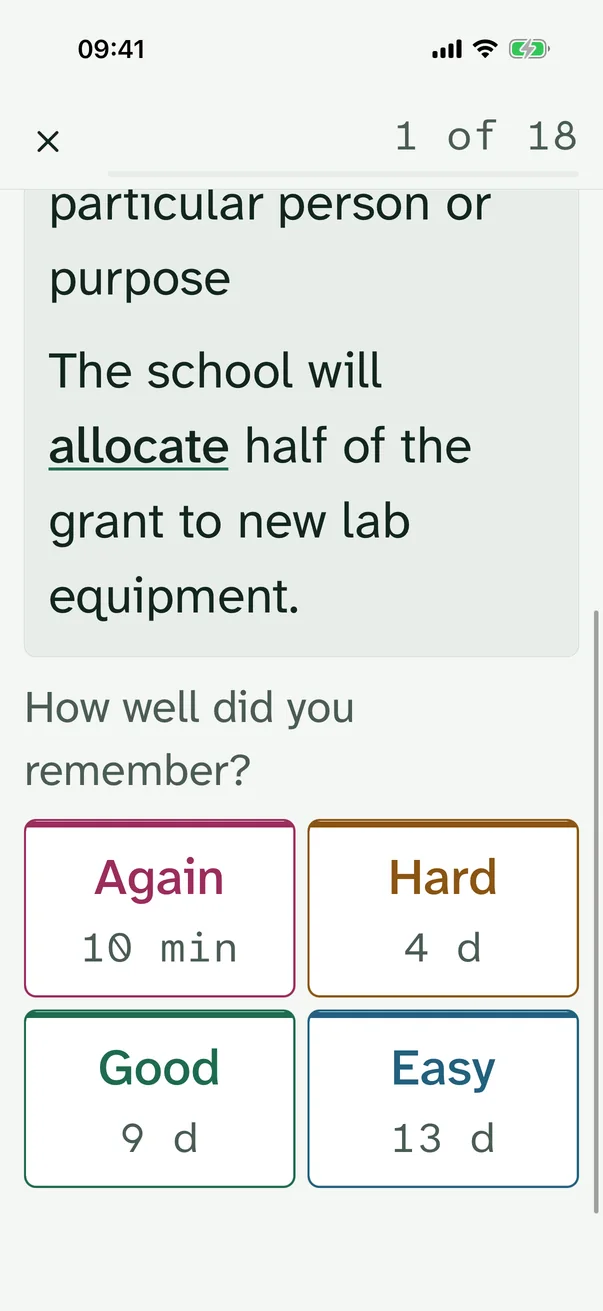
Vocabryn study card on Android with Again, Hard, Good and Easy buttons showing their intervals
Android Emulator · Study card
  • Expo SDK 57React Native 0.86 · TypeScript
  • 13 screens4 tabs · 8 stack · recovery
  • 48 phrases4 original collections + import
  • 119 testsJest unit and journey tests
  • 7 flowsMaestro on simulator and emulator
  • OfflineNo account, server or tracking

What a learner can do

Three journeys, working end to end

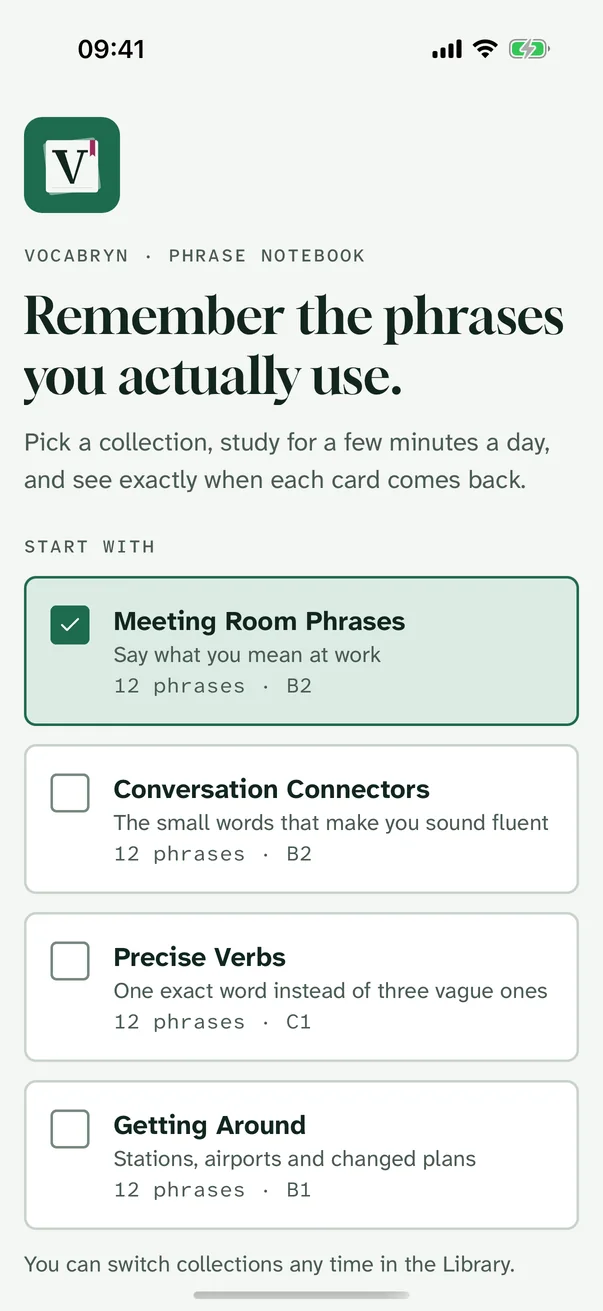
Choose or import a collection

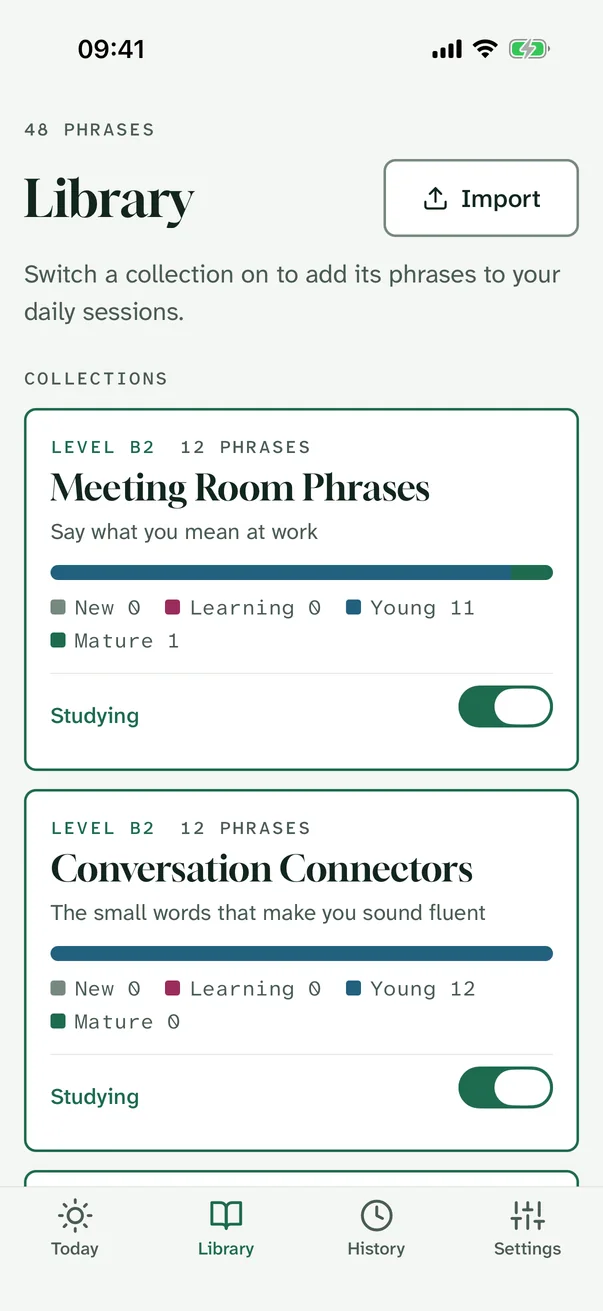
  • Four original collections — workplace phrases, connectors, precise verbs, travel — switched on or off in the Library.
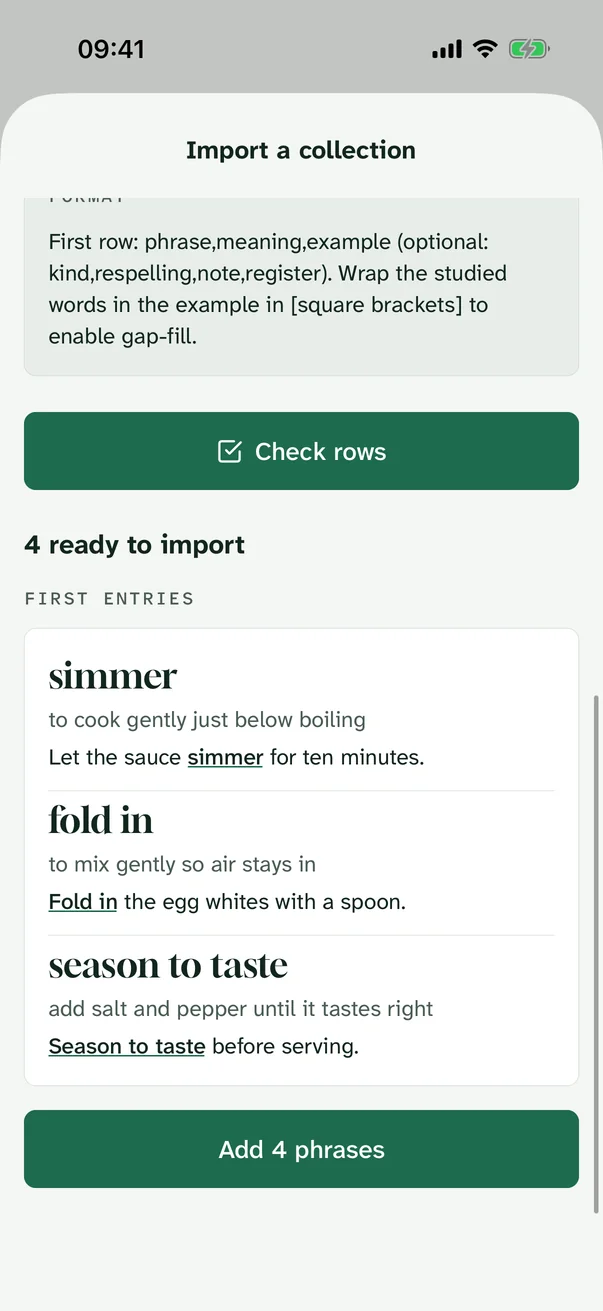
  • Import CSV, tab-separated text or JSON from a file or by pasting; every row is validated, problems are listed by row, and a preview comes before saving.
  • Files are read on the device and never uploaded.
Welcome screen with collection choices
iOS · First run
Library with collection cards, progress bars and study switches
iOS · Library
Import screen showing four rows ready to import
iOS · Import preview

Study a session

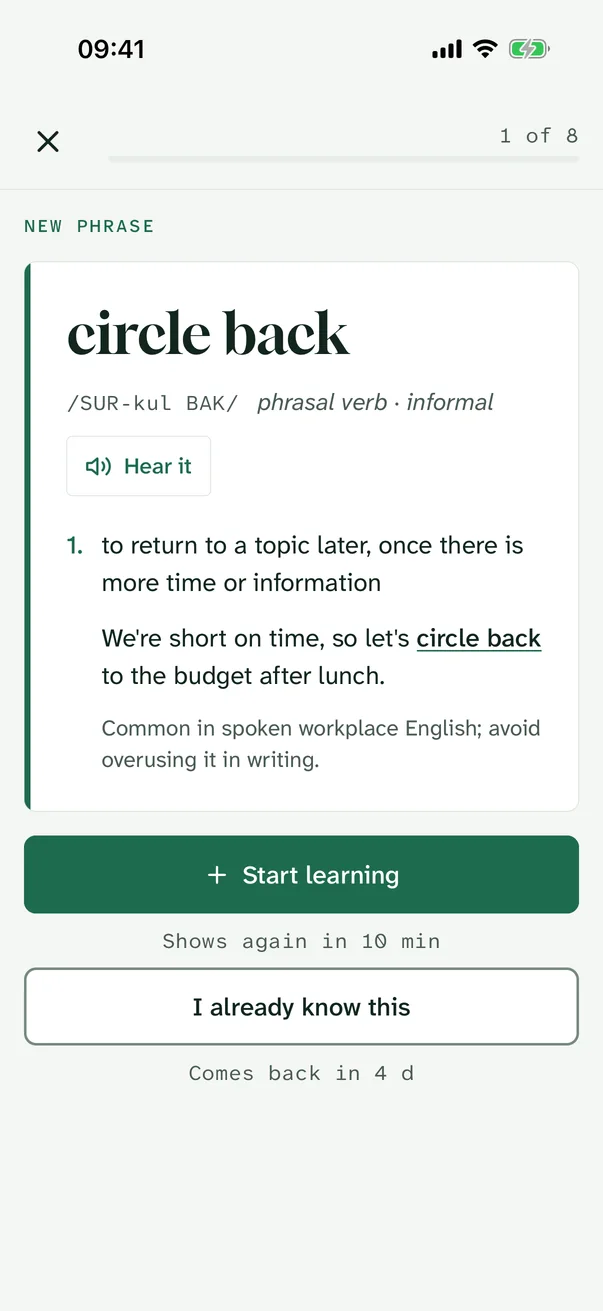
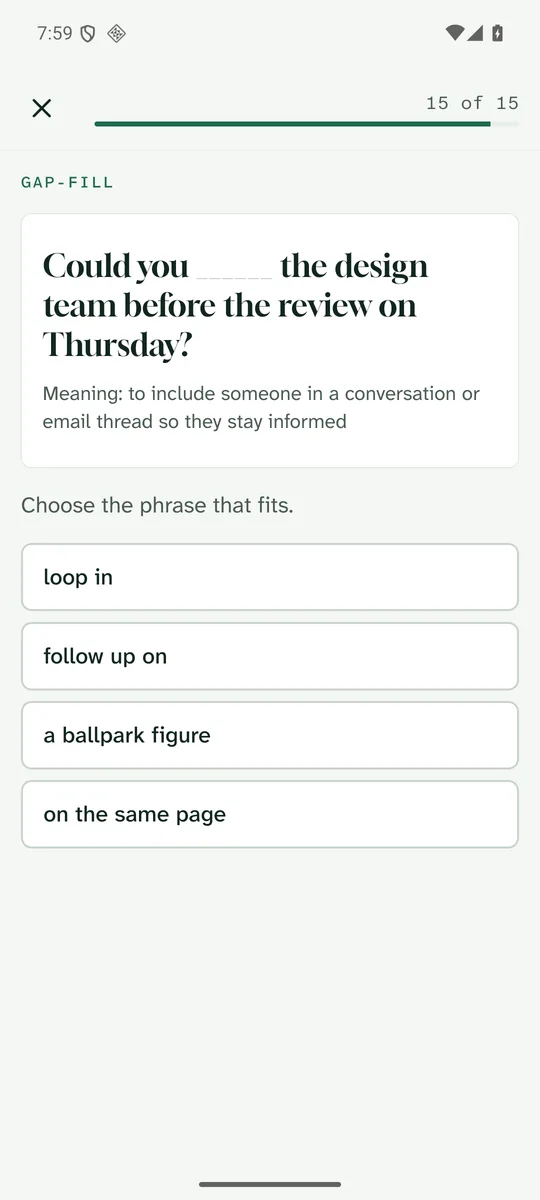
  • New phrases are introduced as dictionary entries; reviews alternate between recall and a gap-fill in the example sentence.
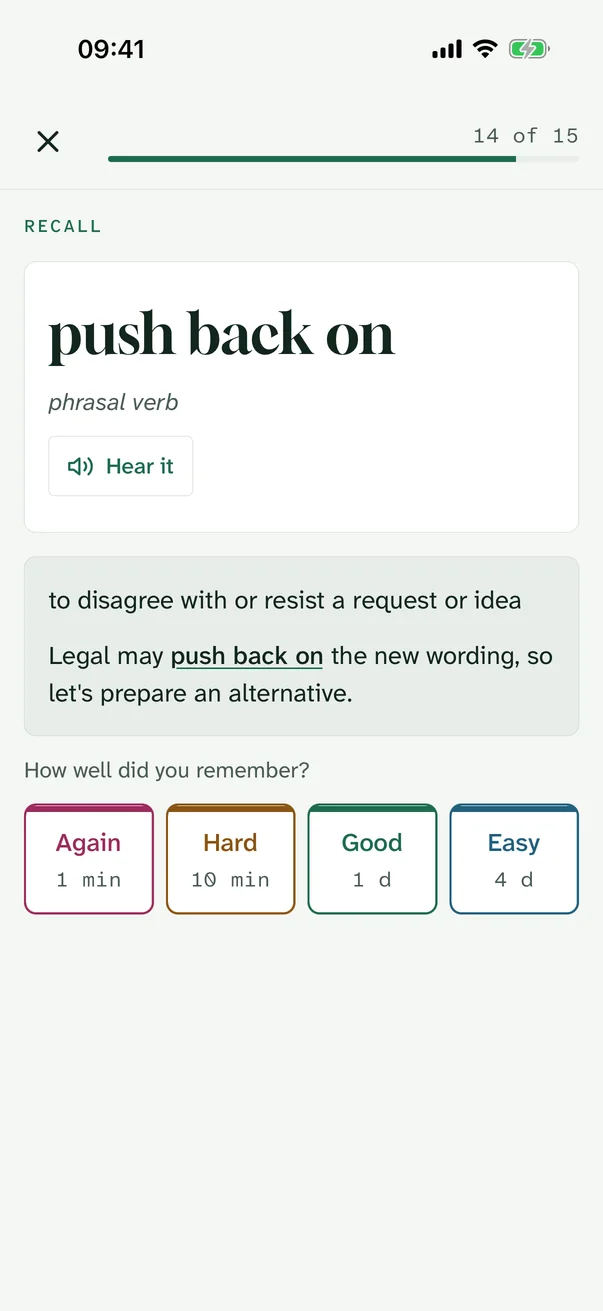
  • Again, Hard, Good and Easy each show the interval they will give before you tap.
  • Every answer is saved at once: leave mid-session, background the app or close it, and the session resumes where it stopped.
A new phrase introduced as a dictionary entry
iOS · First look
Recall card with meaning revealed and grade buttons
iOS · Recall and grade
Gap-fill prompt with four phrase options
Android · Gap-fill

Review what's due and why

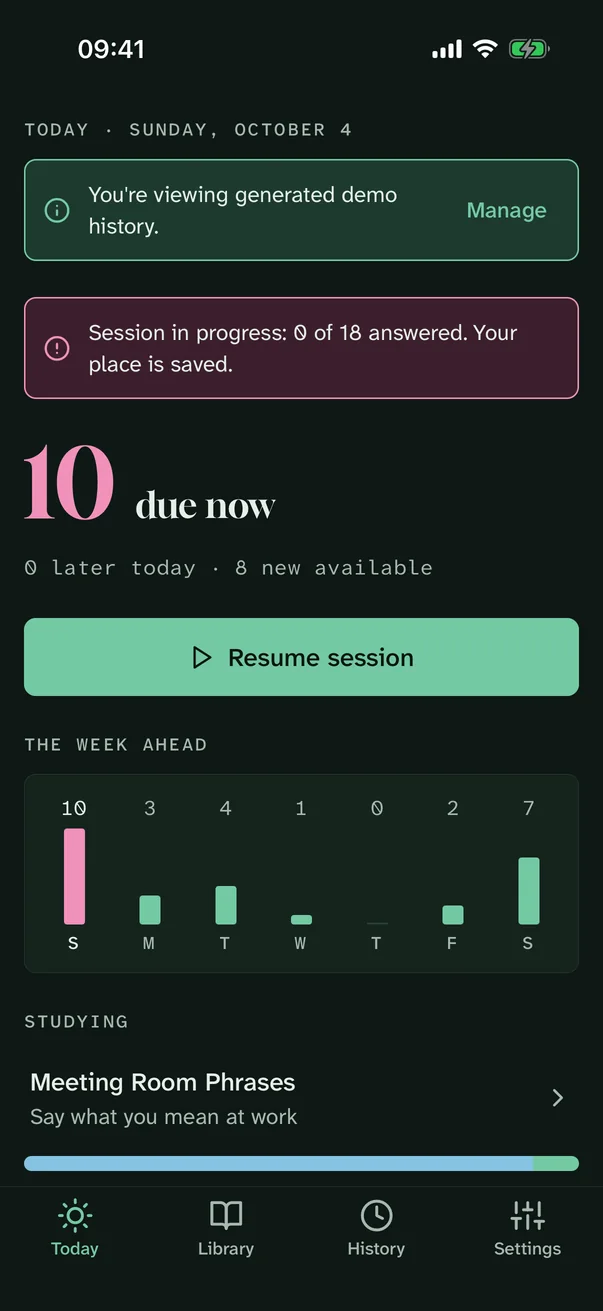
  • Today shows what is due now, later today and over the next seven days.
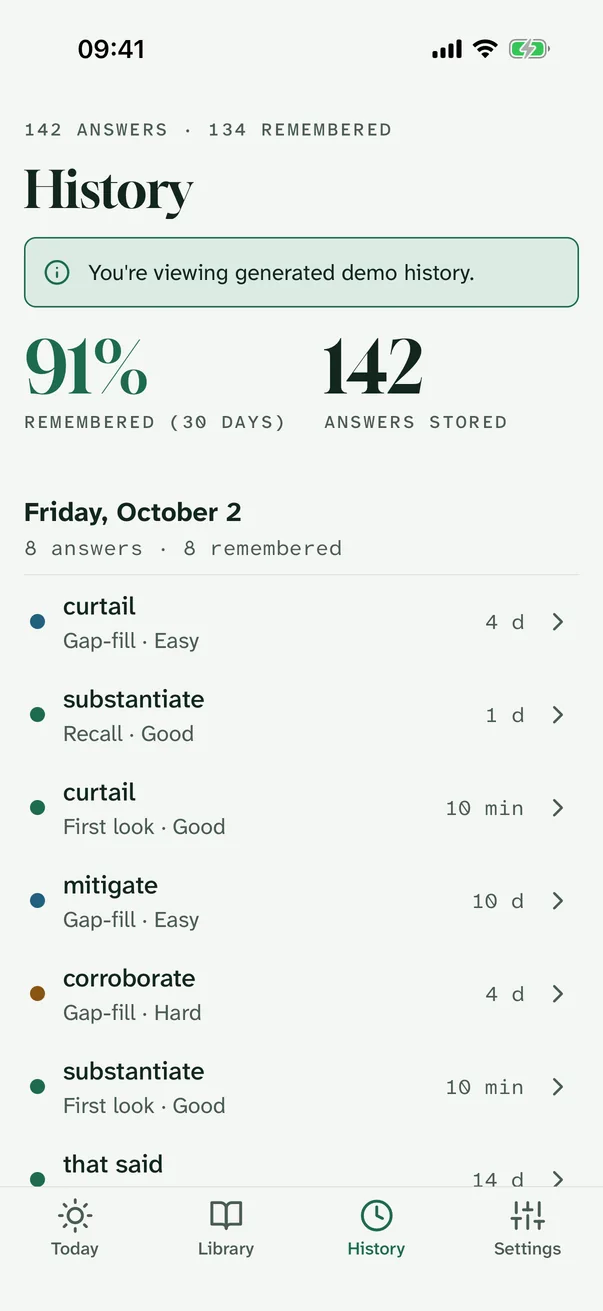
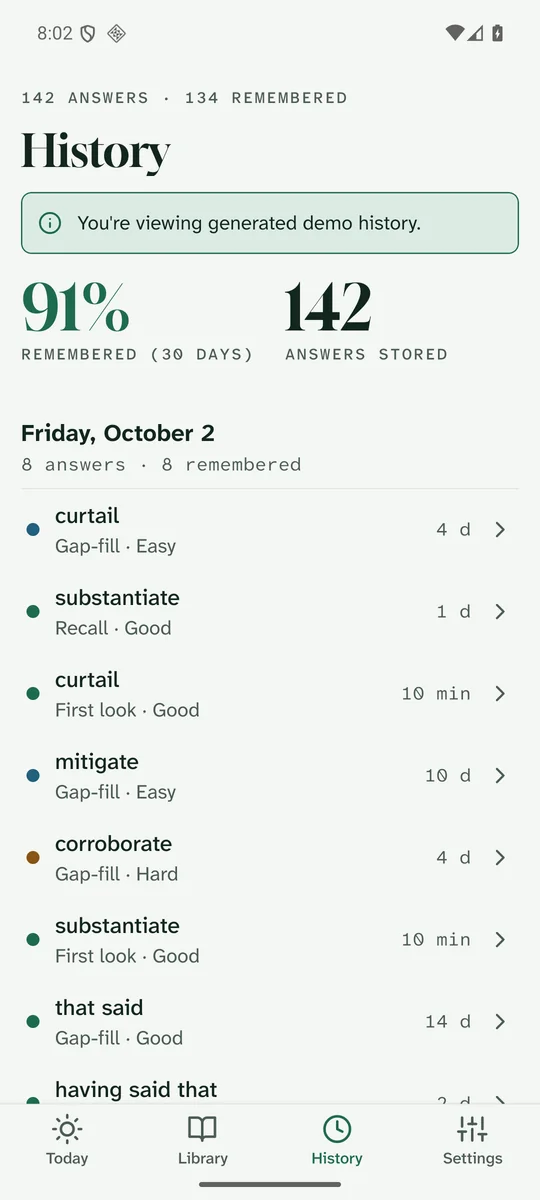
  • History groups answers by day with a 30-day remembered rate.
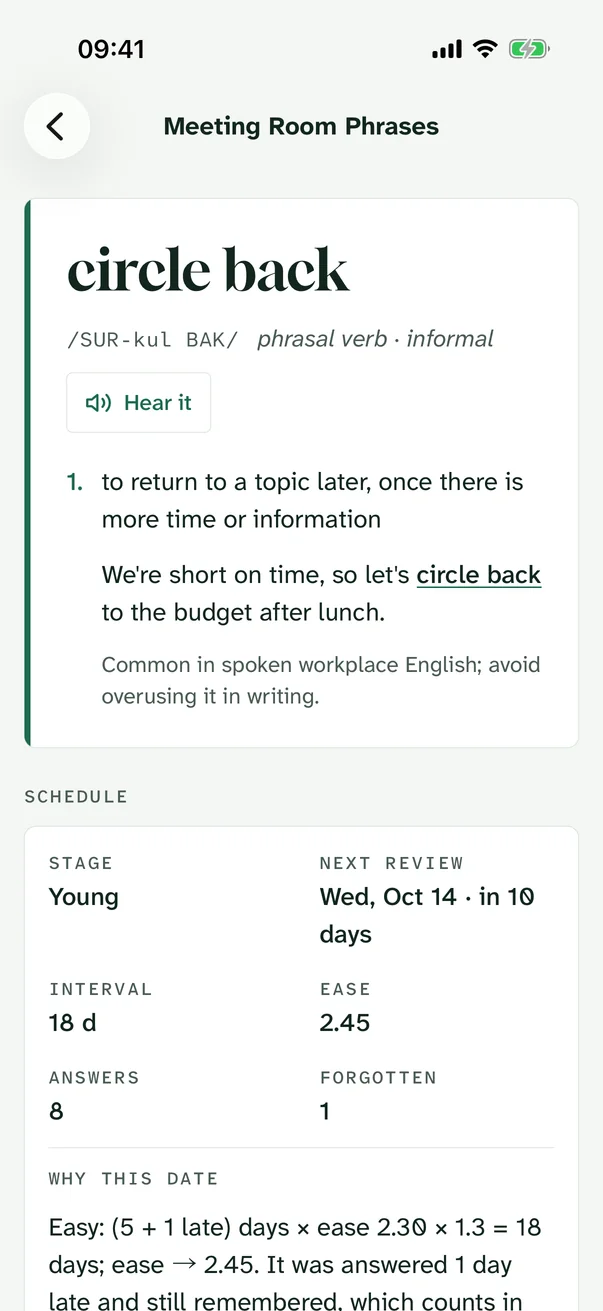
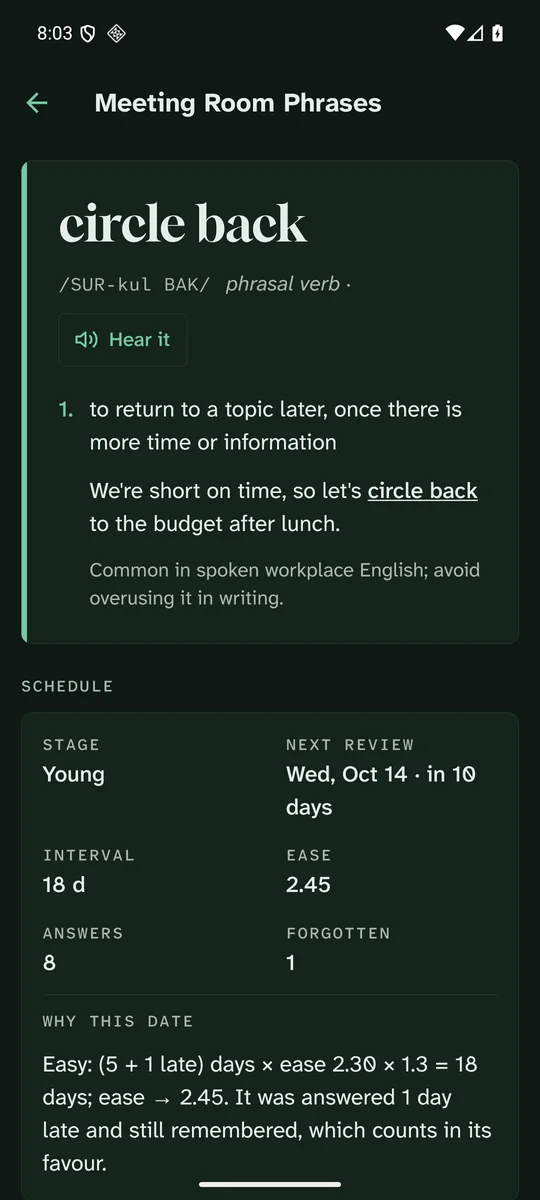
  • Each phrase page states its stage, ease and next date, explains that date in one sentence, and lists its review timeline.
History screen with remembered rate and answers grouped by day
iOS · History
Phrase page with schedule facts and the reason for its next date
iOS · Why this date
History screen on Android
Android · History

Deterministic, documented, testable

The schedule, in plain words

A variant of SM-2 with learning steps and four grades. No randomness: the same answers always give the same dates. Every constant lives in one config file, which the app's own "How scheduling works" page reads.

AnswerNew or learning phrasePhrase in review (interval × ease)
AgainBack in 1 minuteForgotten: ease −0.20, relearn in 10 minutes, keep 20% of the interval
HardRepeat the current stepInterval × 1.2, ease −0.15
GoodNext step (1 → 10 minutes), then 1 dayInterval × ease (starts at 2.50)
EasyStraight to 4 daysInterval × ease × 1.3, ease +0.15

Study days start at 04:00 · ease never drops below 1.30 · intervals stop at 365 days · six lapses mark a phrase "tricky"

Designed for both themes and every text size

Dark mode, large text, screen readers

The dark palette is designed separately, not inverted, and every text colour is tested for 4.5:1 contrast. At the largest text sizes the grade buttons regroup into a 2×2 grid; every control has a spoken label, and Reduce Motion removes the card transitions.

Today screen in the dark theme
iOS · Dark
Phrase page in the dark theme on Android
Android · Dark
Study card at the largest accessibility text size
iOS · Largest text size
Today screen at 200% font scale on Android
Android · 200% font

Honest boundaries

What's included, what needs your backend

Included, works offline

  • Collections, CSV/JSON import, sessions, scheduling and history
  • Saved progress, interrupted-session restore, data-recovery screen
  • Backup export and restore as a JSON file
  • Daily reminder as a local notification
  • "Hear it" with the device's own text-to-speech voice
  • Light and dark themes, rebrand tooling, Jest and Maestro tests

Needs your backend

  • Accounts and sign-in (adapter interface included)
  • Cloud sync between devices (adapter interface included)
  • Server push notifications

Not included

  • Purchases or subscriptions
  • AI tutor or generated lessons
  • Speech recognition or pronunciation grading
  • Licensed textbook content, analytics or tracking

What was actually run

Verification for this review

CheckEnvironmentResult
Clean package checksExtracted buyer ZIP · Node 24.21 · Expo Doctor 21/21passed
Typecheck, lint and JestExtracted buyer ZIP · 6 suites / 119 testspassed
iOS release buildXcode 27 · iOS 16.4 minimum · arm64 Simulatorpassed
iOS journeys and accessibility textiPhone 17 Pro Simulator · iOS 26.5 · 6 runspassed
Android release buildJDK 17 · compile/target SDK 36 · release APKpassed
Android journeys, 200% text and reduced motionPixel 8 Emulator · Android 16 / API 36 · 8 runspassed
Rebrand trialPhrasewell · new IDs, palette, type and content · both release buildspassed
Physical Android phone: journeys and BackSamsung Galaxy A24 (SM-A245F) · Android 16 · Release APKpassed
Release performance on Android hardwareGalaxy A24 · cold launch 1.12 s · p95 frame 24 ms · thermal 0passed
Signed iPhone Release buildXcode 27 · iphoneos · free development team (no push entitlement)passed
Physical iPhone: journeys, restart restore and deep linksiPhone 14 Plus · iOS 26.6.2 · signed Release build · 3 journeyspassed
Physical iPhone accessibility auditXcode accessibility audit · 8 screens · 0 issuespassed
Release performance on iPhone hardwareiPhone 14 Plus · cold launch 0.17 s · 0 hitches · scroll 58.6 fpspassed

In the ZIP

A source package you can make your own

One brand file sets the name, bundle IDs, deep-link scheme and icon colours; a script regenerates every icon and splash image. Colours, fonts, copy, collections and scheduling rules each live in one place.

vocabryn/
├── app/                 Expo app (the product)
│   ├── brand.config.json    name, IDs, scheme, colours
│   ├── src/app/             screens (Expo Router)
│   ├── src/domain/          scheduler, queue, import, stats
│   ├── src/config/          theme, schedule rules, defaults
│   ├── src/content/         collections
│   ├── __tests__/           Jest unit + journey tests
│   └── e2e/                 Maestro flows
├── docs/                setup, native builds, rebrand, integrations
└── START-HERE.md · BUYER-README.md · LICENSE.txt